


GTM Profile
Tell Queast what you sell and whom you sell it to
The same company can be a strong prospect for one IT seller and irrelevant to another. GTM Profile holds your offers, delivery capabilities, target companies and buyer personas. Opportunities and message drafts are based on it.
Your commercial focus
Set out what you sell and to whom
Bring your existing offer descriptions, company material and case studies into the profile. Queast can propose updates from this material; your team reviews the suggestions and fills the gaps.
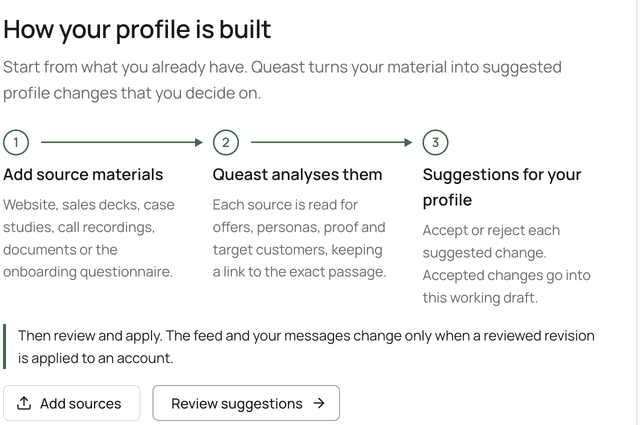
Review and make live
Review changes before they go live
Authorised editors save a draft, review it and make it live for the workspace. Until then the live profile stays as it is, so you can work on a new focus without affecting current results.
Illustrative example
A different offer needs a different reason to approach
Imagine a team selling cloud migration projects to manufacturers. Its profile describes migration planning and delivery, the manufacturers it targets and the infrastructure leaders it wants to reach.
In this fictional example, the manufacturer’s vacancy describes migrating existing systems to the cloud. That work overlaps the team’s migration planning and delivery service, and the company fits its manufacturing focus. The profile is what connects the vacancy to this seller.
Demand Report
Read market context alongside your targeting
When a Demand Report has been prepared for your profile, authorised readers can open the latest ready report from GTM Profile. It brings market analysis and selected company, job and signal examples together around the saved targeting.
See it in practice
See how your offering shapes the workflow
Book a demo to explore how GTM Profile connects your commercial focus with Opportunities and daily sales work. You can also get a free signal: one Smart Signal for your business, available for the UK, Germany and the Nordics.