
Opportunities

Find a reason to approach, with the company and its people in the same view

Opportunities brings targeted job ads, Smart Signals, role changes, company matches and hiring surges into one place. Inspect what surfaced, how the company relates to your focus and whom you could approach, then carry selected people into Daily Planner.

Opportunity types

Five types of opportunity

Job ads show the work companies are staffing. Your GTM Profile sets the targeting for all five types.
  • Job ads Find vacancies related to the skills and services you sell. Read the role, technologies and fit explanation to identify relevant work without sorting through unrelated vacancies.
  • Smart Signals Read an explained recommendation connecting company activity with your delivery capabilities and target customers. It states the selling situation and suggests a next action.
  • New in role Discover someone who has started a new role at a relevant company. You see their role and how the company fits your targeting.
  • Company matches Find accounts that fit your targeting, with company characteristics and matching information to inspect. Use it to build an account list when there is no recent event to act on.
  • Hiring surges See a concentration of recent hiring at a company, including roles in your area. You see the pattern across roles without collecting the vacancies one by one.
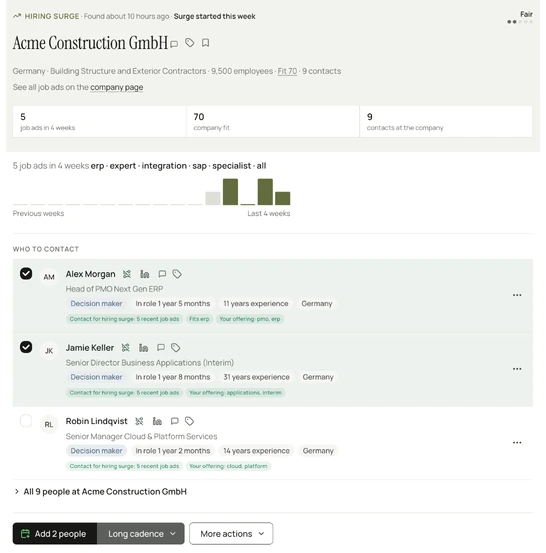
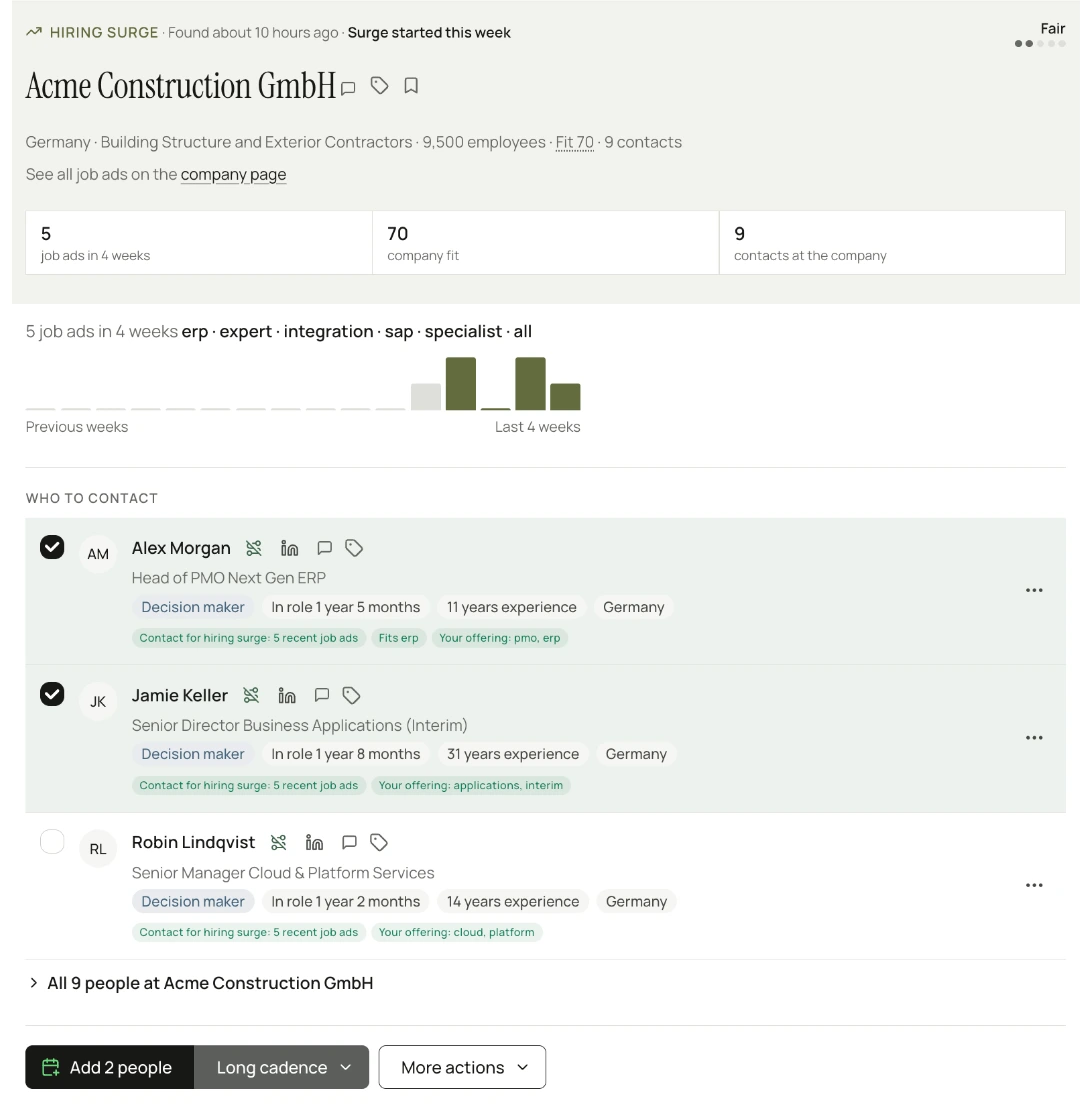
Hiring surge panel for a sample company: five job ads in four weeks, a weekly hiring chart, company fit and three suggested contacts.
A hiring surge brings the count of recent job ads, the weekly pattern and suggested contacts together for one company. Names in this screenshot are sample data. Enlarge the hiring surge example
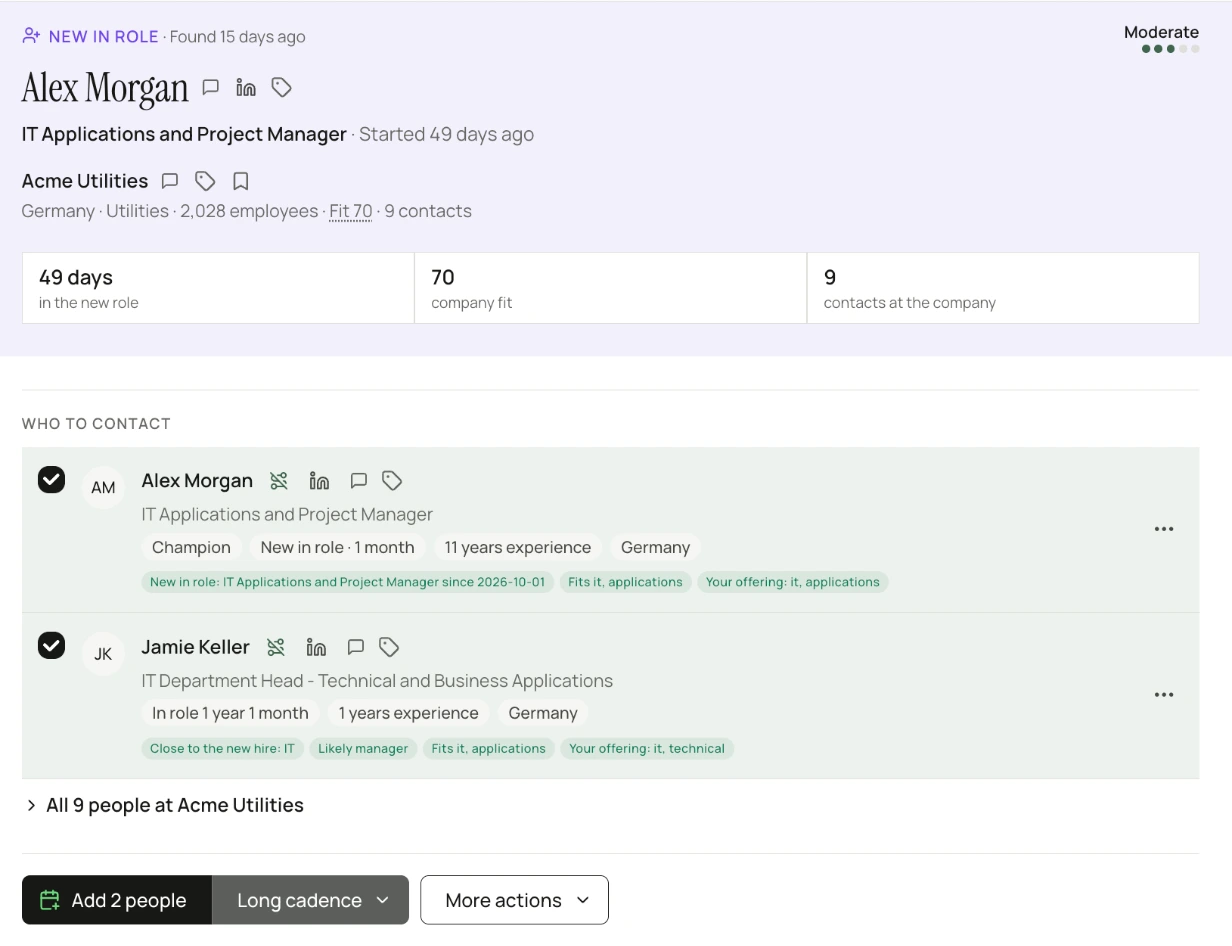
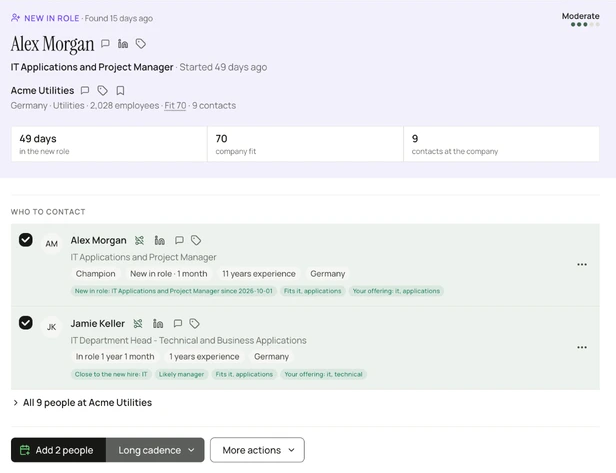
New in role panel for a sample person: role title, 49 days in the role, company fit and two suggested contacts.
A new-in-role finding shows the person, their role, the time since they started and the company’s fit. Names in this screenshot are sample data. Enlarge the new in role example

Illustrative example

Start with a new engineering leader

You sell engineering staff augmentation to B2B software companies. A New in role finding surfaces a recently appointed engineering leader at a company in that target market.

The person is responsible for engineering, and you supply engineering capacity. Their recent start gives you a reason to introduce the offer, even with no vacancy open.

  • What Queast brings together The role change, the company’s fit and the available contact details appear in one view.
  • What you can do next Select a suitable contact and add a cadence, or prepare a message about the engineering capacity you provide. A new appointment does not show that the company is short of staff.

Select and continue

Add people to follow-up from the opportunity

An opportunity’s detail brings its finding, company information and available people together. Contact recommendations include relevance information; contact records and details depend on availability and your access.

Explore Daily Planner

  1. Inspect the finding

    Read the job, role change, hiring pattern, company match or recommendation. The fit information and company details show how it relates to your offer.

  2. Choose the people and cadence

    Review the suggested people and other available company contacts. Select whom to include and choose a short or long cadence.

  3. Continue in Daily Planner

    Add the selected people to Daily Planner. Each due action links back to the opportunity and company, so you don’t search for the account again.

Opportunity controls showing Add 1 person, Short cadence and More actions.
Choose a cadence and add the selected person to follow-up from the opportunity. Enlarge the opportunity follow-up controls

Before you choose

What an opportunity tells you

Does an opportunity mean the company wants to buy?

It gives you a relevant starting point for sales work. A company match describes fit; a job ad, role change or hiring surge describes activity. Smart Signals add an explained recommendation. You still establish the company’s priorities, budget and interest in your offer through the conversation.

Which opportunity types are available?

Queast offers all five types: job ads, Smart Signals, New in role, Company matches and Hiring surges. Smart Signals require an IT Services workspace and enabled member access. Contact details depend on available data and your permissions.

See it in practice

Follow an opportunity through to the next sales action

Book a demo to see how a finding, its company context and selected contacts carry into daily follow-up. You can also get a free signal: one Smart Signal for your business, available for the UK, Germany and the Nordics.